Instructions for using HexChat to access the RooCam LIVE! chatroom.
Start HexChat and add "WTower" to your network list.
You do this by clicking on HexChat from the Menu Bar and selecting "Network List."
Then, click on the "ADD" button, then replace "New Network" with "WTower" and press Enter.

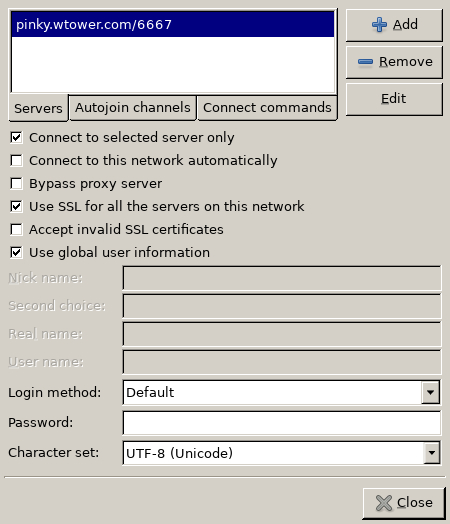
Next: Click on "WTower" then select the "Edit..." button. This will bring up the following dialog.
Click the "+ADD" button and enter "pinky.wtower.com/6667", then hit Enter.
You may also want to configure HexChat to auto-join the RooCam-2 channel.
Click the "Autojoin Channels" tab.
Then, click the "+ADD" button and enter "#roocam-2" and hit Enter.
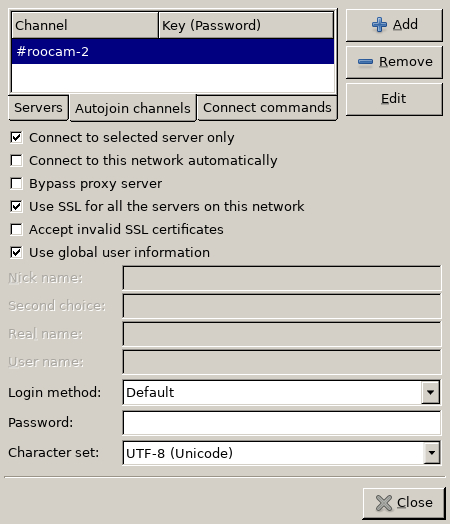
Make sure the checkboxes match the above. Then click the "CLOSE" button.
Back on the Network List dialog, click "Connect," and it should connect you to the RooCam-2 chatroom.

 Back to ROOTOON